

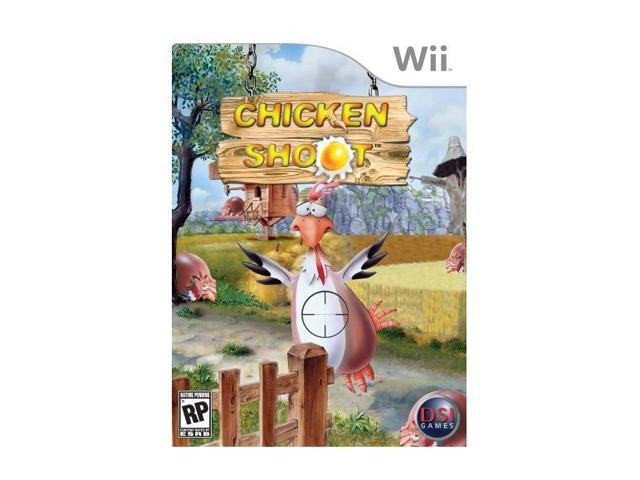
Online gaming should be entertaining for all players. Chicken Shoot Game is committed to this, including a collection of accessibility features built to support UK players of all skill levels. This focus turns the classic shooting gallery into a setting where barriers come down and all can join in. With personalizable controls, visual aids, and more, the game guarantees every player, no matter their physical or cognitive demands, can shoot and share in the excitement.
How Accessibility Matters in Gaming
Countless in the UK play games for enjoyment, challenge, and community. Inclusive gaming guarantees this activity is available to people with vision, auditory, motor, or cognitive challenges. When developers place accessibility first, they go further than attract a wider audience. They promote social integration, introducing real-world differences into virtual worlds. Chicken Shoot Game believes every player merits a fair shot at entertainment, so accessibility is a cornerstone of its design, not an extra.
Good accessible design often enhances the game for all users. Simple menus or flexible buttons aid people competing in a loud room or on an unfamiliar device. For UK players, this creates a more flexible and rewarding time each time they game. The industry’s shift toward accessibility is a welcome shift, building player dedication and generating new innovations. Chicken Shoot Game is a component of this movement, working to make its arcade action playable to all.
Cognitive Assistance Options
Cognitive accessibility helps players with learning differences, attention issues, or memory problems appreciate the game without getting overwhelmed. Chicken Shoot Game uses clear, consistent goals and keeps on-screen distractions to a minimum. Tutorials are split into small steps, and you can access the instructions again anytime. This structured method reduces the cognitive strain, so players can enjoy the thrill of the game.
Easier Game Modes
For a less intense session, the game provides simplified modes. These offer slower-paced challenges and fewer distractions. They keep the core appeal of the shooting game while decreasing the stress and difficulty. These modes are ideal for younger gamers, total novices, or anyone seeking a more relaxed game. This selection demonstrates the game’s focus to supporting different cognitive styles within the UK’s gaming audience.
Clear Goals and Feedback
The game provides immediate, obvious indicators for everything you perform, from shooting a target to grabbing a bonus. Progress bars are visually prominent and presented in plain terms. This clarity helps players understand cause and effect, which builds confidence and keeps them involved. By eliminating vague goals or confusing incentives, the game supports cognitive support and enables all players feel a sense of accomplishment.
Menu Layout and Navigation Accessibility
Navigating a game’s menus should be simple. Chicken Shoot Game structures its interface with this idea at the center. Menus include a clear tab order, clear buttons, and informative tooltips. Screen reader compatibility is a key aspect where applicable, and all clickable elements can be scaled. This thoughtful design reduces the learning curve and makes the game welcoming from the very start.
Players can also modify the speed of menu animations and activate confirmation dialogs to skip accidental selections. These small details are important. They give users with different needs total authority over their experience. For UK players, it translates to reduced effort tweaking settings and more time playing. The interface’s accessibility reflects the broader spirit of inclusion that characterizes Chicken Shoot Game.
Community Feedback and Continuous Improvement
Chicken Shoot Game develops through feedback from its players, and accessibility is a key part of that conversation https://chickensshoot.com/. The developers actively ask UK gamers to provide their experiences and ideas via forums and surveys. This feedback has directly led to new additions, like better subtitle options and more detailed control settings. By listening to the community, the game refines in ways that actually benefit players.
Regular updates introduce fresh content and also improve the existing accessibility tools. The development team is open about their goals, often highlighting new inclusive features on the horizon. This ongoing exchange builds a atmosphere of shared ownership and trust. Players understand their input is valued, helping to build a dynamic, supportive community where inclusivity is constantly promoted.
Beginning with Accessibility Settings
Jumping into Chicken Shoot Game’s accessibility features is straightforward. When you first open the game, a setup wizard points out the key accessibility options. This early introduction guarantees you can make adjustments before you even start playing. All the settings are located in a dedicated «Accessibility» tab inside the options menu, grouped logically so they’re easy to find.
The game prompts you to try different configurations to see what works best. It even offers preset profiles for common situations, like «Low Vision» or «Motor Assistance,» offering you a useful head start. With these tools nearby, UK gamers can quickly tailor Chicken Shoot Game to their own preferences. The result is an accessible, lively, and immensely enjoyable experience from your very first shot.
Motor Control Customisations
Hand coordination shouldn’t exclude anyone from a game. Chicken Shoot Game delivers deep control customisation to accommodate different motor abilities. Players can reassign every action to keys, buttons, or mouse inputs that feel comfortable. This freedom is essential for people with limited mobility or repetitive strain injuries, letting them create a control scheme that lowers exertion and boosts aim.
Reassignable Inputs
The game’s control configuration menu is both detailed and easy to use. You can entirely remap inputs for shooting, aiming, and moving through menus. It’s possible to save several profiles, making it simple to change between setups for different players or play styles. This degree of customisation offers UK gamers with motor impairments the power to play in a way that feels responsive and natural, turning potential difficulty into smooth, enjoyable gameplay.
Aiming and Reaction Tuning
Precision tuning matters for motor accessibility. Chicken Shoot Game includes adjustable sensitivity for aiming and options to toggle actions instead of holding buttons down. Players can modify response curves and even add a slight delay to inputs to accommodate slower reaction times. These settings help lessen tiredness and boost accuracy, adapting the game’s physical demands to a player’s own capabilities. The idea is to make every shot count, without discomfort.
Hra Chicken Shoot Game Přístupná Design Philosophy
Začlenění shaped Chicken Shoot Game od samého začátku. Tvůrčí tým focused on the player, diskutoval s accessibility experts a skupinami hráčů across the UK aby zjistili, co je nezbytné. Tento aktivní přístup meant, features could be woven přímo do herního zážitku, avoiding awkward fixes. The goal was straightforward: build a game, that is both thrilling and accessible, whether you play every day nebo berete ovladač poprvé do ruky.
Tento závazek pokračuje s každou aktualizací. Tvůrci vnímají dostupnost jako průběžnou práci, constantly polishing features podle toho, co hráči říkají. By making inclusion part of the game’s core, Chicken Shoot Game posouvá hranice žánru. Není to pouze o dosahování výsledků. Jde o to, aby každý hráč se cítil respektován a schopný. Toto upřímné úsilí činí hru skvělou volbou for UK players hledající napětí i spravedlnost.
Screen Adjustments for Enhanced Play
You need to see clearly in a quick game like Chicken Shoot. The game provides many options to help. Gamers can adjust the brightness, contrast, and scale of the interface to cut down on eye strain and keep focus on those speedy chickens. These settings are located in the main menu, available for rapid changes also in the middle of a round. This flexibility means poor lighting or visual impairments do not have to interfere with the fun.
Color Blindness Modes
For players with colour vision deficiencies, Chicken Shoot Game includes several colour blind modes. These modes alter the colours of critical game elements like targets, scores, and power-ups. They also utilize distinct shapes and strong-contrast schemes. This meticulous design avoids confusion and ensures information isn’t lost. UK players can choose from profiles made for common types of colour blindness, unlocking the game’s vibrant world without toning it down.
Adjustable Text and Icons
Tiny text is a frequent problem. This game lets players enlarge the size of all menu text, instructions, and pop-up messages. Icons are designed to be readable and easy to identify, and you can activate text labels for additional clarity. These changes are a major help for players with visual impairments or anyone using a compact screen. By putting legibility a priority, Chicken Shoot Game assists everyone manage settings and grasp the rules without a hassle.
Sound Settings for Every Player
Sound enhances the barnyard chaos, but Chicken Shoot Game doesn’t compel you to rely on it. The audio menu includes separate volume sliders for music, sound effects, and any voiceovers. Players can set the mix just how they want it. This is great for people who are hard of hearing or who just want to fine-tune the levels. The game’s lively soundtrack and effects remain crisp and engaging, adapted to individual preferences.
Customisable Sound Mix
Adjusting the audio is a useful tool for players with hearing difficulties or those in shared homes. You can set important alerts, like a new wave of chickens or a bonus round, louder than the background music. This customisation means you won’t miss important cues during play. The easy interface lets UK players establish their perfect sound profile in moments, boosting both access and personal enjoyment.
Captions and Visual Warnings
All dialogue and every significant sound cue comes with clear, customisable subtitles. You can change the subtitle text size, colour, and background for easier reading. On top of that, visual alerts show on screen for events like low ammunition or a special chicken appearing. These serve as a backup for audio information. As a whole, these features let players who are hearing impaired stay completely in the action.